Table of Contents
- Introduction — Why This Matters
- Background / Context
- Key Specs & Terms Explained
- Feature-by-Feature Comparison (What Changed and Where)
- Individual Breakdown (Feature by Feature)
- Why This Matters (What Actually Affects Your Daily Use)
- What to Expect Next
- Common Misconceptions
- Recent Developments
- Real User Scenarios
- Update Tips for OPPO Users
- Conclusion and Final Verdict
- FAQs
- Where to Verify Specs & Rollout Status
- Discussion
Introduction — Why This Matters
If you own an OPPO Find or Reno series phone and you’ve just seen an update notification pop up, you’re not alone. Figuring out whether an Android update is worth installing right away, what it actually changes, and whether your specific model even qualifies can be confusing, especially when OPPO rolls updates out in stages rather than all at once.
We researched OPPO’s official ColorOS 16 update announcements, device eligibility lists, and rollout timelines to build this guide. As of late August 2026, OPPO has confirmed the update is being pushed globally in phases across the full month, rather than as a single simultaneous release, which is standard practice for large Android manufacturers managing millions of active devices across different hardware tiers and regions.
This article walks through exactly what’s new in the ColorOS 16 August 2026 update, which OPPO devices are getting it first, and what it actually means for how you use your phone day to day. We’ll also cover common misunderstandings about software updates and practical tips for installing this one safely, wherever in the world you’re reading from.
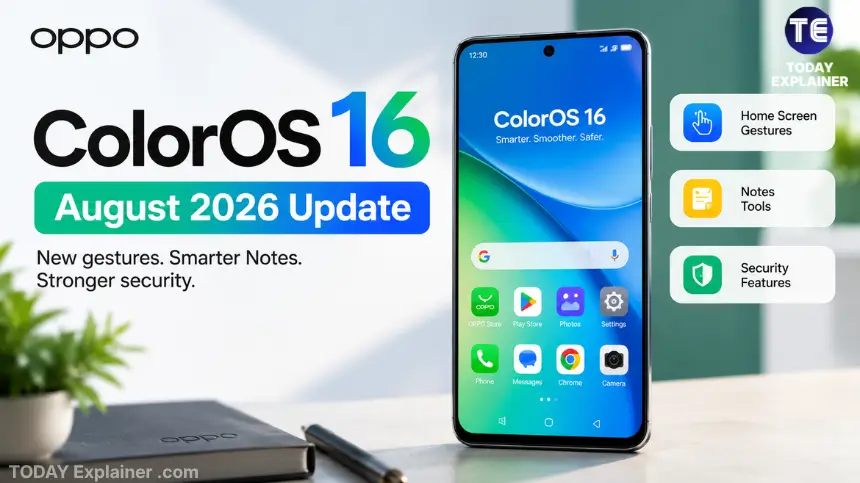
Quick Answer: The ColorOS 16 August 2026 update is a mid-cycle feature and security update — not a full OS version jump. It adds AI-powered photo collage tools, image annotation in Notes, a one-gesture way to clear notification badges, new Currency Converter widgets, and stronger real-time security alerts in Phone Manager. It’s rolling out globally between August 1 and August 31, 2026, starting with OPPO’s Find X9 and Reno15/Reno16 series devices.
Background / Context
ColorOS 16, OPPO’s current-generation software skin built on top of Android, launched as a major overhaul with a redesigned visual language, revamped Photos app, and updated Always-On Display. Since that initial release, OPPO has followed its usual pattern: monthly or near-monthly incremental updates that polish specific apps and add smaller, practical features rather than reworking the whole interface again.
The August 2026 update fits that pattern closely. Instead of one headline feature, OPPO has bundled several smaller improvements across the Home Screen, Notes, Photos, Widgets, and Phone Manager. None of these changes are dramatic on their own, but together they represent the kind of steady refinement that determines how pleasant a phone feels to use months after you’ve bought it.
Why does this matter right now? Software support length has become a real consideration for smartphone buyers everywhere, alongside price and camera performance. A phone that keeps receiving meaningful monthly refinements — not just security patches — holds its value and usefulness longer, which is relevant whether you’re deciding to update your current OPPO phone or weighing a new purchase against a competitor’s promised update timeline.
Key Specs & Terms Explained
Software update announcements are full of terms that don’t always get explained clearly. Here’s what matters in this one.
- OTA (Over-the-Air) update: A software update downloaded and installed wirelessly, without connecting the phone to a computer. This is how the ColorOS 16 August update reaches your device.
- Phased rollout: Instead of releasing an update to every eligible device at once, the manufacturer pushes it to small batches of users first, then gradually expands. This is why two people with the same phone model might not get the notification on the same day.
- Firmware region / variant: The specific version of software built for a country or carrier. A device bought in one country may receive an update days or weeks before the same model sold elsewhere.
- Smart Cutout: An AI feature that automatically detects and separates a subject from its background in a photo, without you manually tracing an outline.
- Phone Manager: OPPO’s built-in system-health app that handles storage cleanup, battery optimization, app permissions, and now, real-time threat alerts.
- Security patch level: A separate, usually monthly, update that fixes known vulnerabilities. Feature updates like this one are often bundled with the latest available security patch.
- Legacy device support: Older models that stop receiving major feature updates but may still get security patches for a limited time.
| Term | Simple Definition | Why It Matters for Users |
|---|---|---|
| OTA update | Wireless software update pushed directly to your phone | Confirms your phone doesn’t need a computer or service center visit to update |
| Phased rollout | Gradual release to batches of users over weeks | Explains why the update notification may not appear on your phone yet |
| Firmware region | Country/carrier-specific software build | Affects exactly when your specific unit gets the update |
| Smart Cutout | AI-based background removal for photos | Determines how usable the new AI Remix Collage feature actually is |
| Phone Manager | Built-in system and security utility app | Now doubles as a real-time threat and battery-drain alert system |
| Security patch level | Monthly vulnerability fix, separate from features | A phone stuck on old patches is a real security risk, even if it looks “new” |
| Legacy support | Point at which a model stops getting major updates | Helps you judge how many more years of updates your current phone has left |
Feature-by-Feature Comparison (What Changed and Where)
Since this is a software update rather than a lineup of phones, the most useful comparison here is what changed, which app it lives in, and how big a difference it makes in daily use.
| Feature | Where It Lives | What It Actually Does | Everyday Impact |
|---|---|---|---|
| AI Remix Collage | Photos app | Turns photos into stickers, mood boards, and layered collages using Smart Cutout | Medium — fun for social sharing, not essential |
| Notes image annotation | Notes app | Draw, highlight, and mark up directly on photos and screenshots inside Notes | High — genuinely useful for work, study, and quick edits |
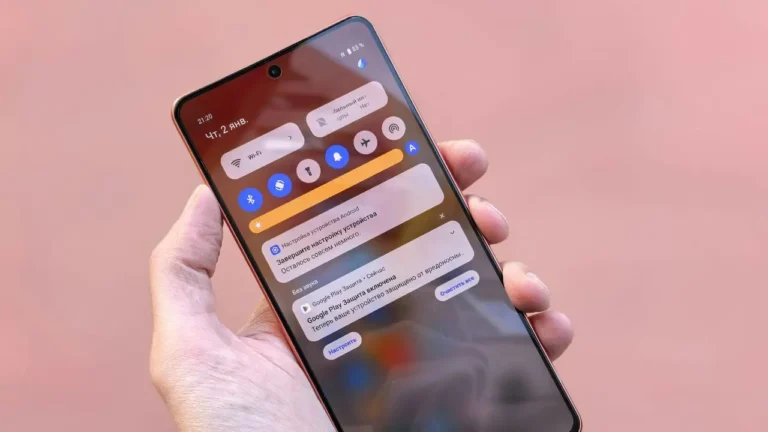
| Badge-clearing gesture | Home Screen | Two-finger pinch-out clears all app notification badges at once | Medium — small but frequently used quality-of-life fix |
| Currency Converter widgets | Home Screen widgets | New 2×2 and 4×2 widgets showing real-time exchange rates | Low-to-medium — useful mainly for travel, freelancing, or international shopping |
| Phone Manager security alerts | Phone Manager app | Detects and blocks suspicious app activity, malicious popups, and abnormal battery drain in real time | High — a meaningful security upgrade, not just a cosmetic one |
| Storage Cleanup reorganization | Phone Manager | Clearer categories for identifying and removing junk files | Medium — makes an existing tool easier to actually use |
| Hidden apps via floating windows | System-wide | Lets you access apps hidden for privacy through a floating window instead of a separate menu | Low-to-medium — convenience feature for privacy-conscious users |
Individual Breakdown (Feature by Feature)
AI Remix Collage — Turning Photos Into Shareable Collages
Where it lives: Photos app, under editing tools.
Key details:
- Built on an improved Smart Cutout tool that automatically separates a subject from its background
- Lets you create sticker sets, mood boards, and layered collages
- Includes customizable outline styles and layer controls so elements can be resized, rotated, or moved beyond the original photo frame
What Stands Out: The layer controls are the real upgrade here. Earlier collage tools on most phones locked your subject into a fixed grid; this one lets you actually compose a layout the way you would in a lightweight design app, without leaving the Photos app.
Where It Falls Short: Like most on-device AI cutout tools, results depend heavily on the original photo’s lighting and background contrast. Busy or low-light backgrounds can produce rough edges around the subject.
Best For: Users who post regularly on social media or make quick graphics for a small business run from a phone.
Notes Image Annotation — Draw and Highlight on Photos
Key details:

- Draw, highlight, and annotate directly on top of images inside Notes
- Multiple drawing tools and colour options
- Works without exporting the image to a separate editing app first
What Stands Out: This is arguably the most practically useful feature in the whole update. Marking up a screenshot of a bill, a lecture slide, or a form no longer requires switching apps.
Where It Falls Short: It’s confirmed only for a specific set of Find and Reno models at launch (see the eligibility list below), so many mid-range and budget OPPO users won’t have it immediately.
Best For: Students, freelancers, and small business owners who regularly mark up documents, invoices, or screenshots on their phone.
Home Screen Badge-Clearing Gesture
Key details:
- A two-finger pinch-out gesture on the Home Screen clears every app’s notification badge at once
- Notifications themselves are not deleted — only the small numbered badges disappear
What Stands Out: It solves a genuinely annoying, everyday problem: badges piling up on apps you’ve already checked inside the notification shade.
Where It Falls Short: It’s a gesture-based shortcut with no visible on-screen button, so some users may not discover it without being told it exists.
Best For: Anyone who keeps a large number of apps installed and finds a Home Screen full of red notification dots distracting.
Currency Converter Widgets
Key details:
- Available in 2×2 and 4×2 sizes for the Home Screen
- Displays real-time exchange rates without opening a separate app
What Stands Out: For anyone dealing with international clients, travel, or overseas online shopping, this removes a small but recurring bit of friction.
Where It Falls Short: It’s a convenience feature, not a replacement for a dedicated finance or remittance-tracking app if you need historical rate data or multiple currency pairs at once.
Best For: Freelancers billing in foreign currencies, and frequent international travelers or shoppers.
Phone Manager Security and Real-Time Alerts
Key details:
- Detects and can block suspicious app activity, including malicious popups
- Flags abnormal battery drain that may indicate a rogue background app
- Warns about unusual attempts to take control of the device
- Sends real-time alerts when something is blocked
What Stands Out: This moves Phone Manager from a mostly reactive cleanup tool toward something closer to lightweight, always-on protection — relevant given how common sideloading and third-party app installation remain in many markets, including South Asia.
Where It Falls Short: It’s not a substitute for a dedicated security app if you regularly install APKs from outside the Play Store; it’s a helpful layer, not a complete shield.
Best For: Everyday users who want baseline protection without manually installing and configuring a third-party antivirus app.
Storage Cleanup Reorganization and Hidden App Access
Key details:
- Storage Cleanup now groups files into clearer categories
- Hidden apps (previously tucked away for privacy) can now be opened through a floating window rather than a separate hidden-apps menu
What Stands Out: Both are small usability polish items rather than new capabilities, but they reduce the number of taps needed for tasks people already do regularly.
Where It Falls Short: Neither changes what the tools can do — only how quickly you can get to them.
Best For: Power users who already use Storage Cleanup and app-hiding regularly and want faster access.
Why This Matters (What Actually Affects Your Daily Use)
Security Improvements Matter More Than They Sound
A feature update that quietly strengthens malware and popup detection is arguably more valuable long-term than a flashy visual redesign, especially for users who install apps from outside official app stores — a habit that remains common in many regions, including India and Pakistan, due to region-locked apps and third-party app stores.
Small Gestures Add Up
The badge-clearing gesture won’t make headlines, but small friction-reducing changes like this are often what people notice most after a week of daily use, long after the initial excitement about bigger features fades.
Feature Availability by Device Tier
Not every feature reaches every device at the same time. Flagship and upper-mid-range models (Find X9 and Reno15/Reno16 series) are confirmed for the Notes annotation feature first; other features tied more to the core system, like the badge gesture and Phone Manager alerts, are likely to reach a broader range of devices as the rollout continues through August.
Update Timing vs. Update Necessity
Not every update needs to be installed the moment it’s available. Security-related improvements are worth prioritizing; purely cosmetic or convenience features can reasonably wait if you’d rather not update mid-week before an important call or exam.
Tip: If you’re choosing between two similarly priced OPPO models right now, check how recently each one received a ColorOS feature update, not just its Android version number. A phone still getting monthly feature refinements is a better long-term bet than one that has quietly stopped.
What to Expect Next
- Wider device rollout through late August and into September: OPPO typically expands phased rollouts to mid-range and older-but-supported devices in the weeks following the initial announcement.
- Possible bug-fix follow-up update: Feature updates of this size are often followed by a smaller patch within a few weeks addressing early user-reported issues.
- Continued AI feature expansion: Given the direction of this update, expect future ColorOS releases to keep expanding AI-assisted photo and productivity tools rather than introducing another full visual redesign in the near term.
Common Misconceptions
Myth: A bigger update number always means a completely new operating system. Reality: This is a feature and security update within ColorOS 16, not a jump to a new Android version. Your phone’s core Android version stays the same.
Myth: If the update hasn’t reached my phone yet, something is wrong with my device. Reality: Phased rollouts are intentional and can take weeks to reach every eligible unit, even within the same model and country.
Myth: Installing every update immediately is always the safest choice. Reality: It’s generally wise, but waiting a few days after a major release lets any early bugs get identified and fixed first, which is a reasonable trade-off for non-critical updates.
Myth: All software updates roll out to every country at the same time. Reality: Regional firmware differences and carrier approval processes mean the same model can receive an update weeks apart depending on where it was purchased.
Myth: More RAM or a newer chipset guarantees you’ll get feature updates faster. Reality: Update priority is set by OPPO’s software team based on model tier and release date, not purely by hardware specifications.
Myth: All these new features are AI gimmicks with no real use. Reality: Several, like the Notes annotation tool and Phone Manager’s real-time security alerts, solve genuinely common everyday problems rather than being novelty additions.
Myth: Clearing notification badges with the new gesture also deletes your notifications. Reality: The gesture only clears the visual badge count; your actual notifications remain accessible in the notification shade.
Recent Developments (Last 6–12 Months)
- August 2026: ColorOS 16 August update begins phased global rollout (August 1–31), adding AI Remix Collage, Notes annotation, badge-clearing gesture, Currency Converter widgets, and Phone Manager security alerts.
- July 2026: ColorOS 16 July update rolled out with personalization tools, camera enhancements, and general performance refinements.
- Late 2025 into early 2026: OPPO’s official ColorOS 16 upgrade schedule expanded coverage across dozens of devices in stages, moving from flagship Find and Reno models toward broader mid-range coverage.
- Ongoing: OPPO continues confirming that newly launched devices, including recent Find X9 and Reno15 models, ship with ColorOS 16 pre-installed rather than requiring an upgrade at all.
Real User Scenarios
The following are illustrative scenarios to help you decide how to approach this update, not real customer testimonials.
Scenario 1 — The student: A student using an OPPO Reno15 for online classes and note-taking would likely get the most immediate benefit from the Notes image-annotation feature, since it removes the need to switch apps to mark up lecture slides or scanned handouts.
Scenario 2 — The small business owner: Someone running an online shop from their phone would benefit most from the AI Remix Collage tool for quickly creating product graphics, and from the Currency Converter widget if dealing with any international suppliers or customers.
Scenario 3 — The security-conscious everyday user: A user who mainly cares about keeping their phone safe from scam apps and popups should prioritize installing the update specifically for the improved Phone Manager alerts, even if the other features aren’t personally relevant.
Update Tips for OPPO Users
- Update over Wi-Fi where possible to avoid using mobile data allowances on a potentially large download.
- Back up important photos and documents before installing any major system update, as a general precaution.
- Charge your phone to at least 50% or keep it plugged in during installation to avoid interruptions.
- Check Settings > About Device > Software Update manually if the notification hasn’t appeared yet — phased rollouts don’t always trigger an automatic prompt right away.
- Buy from authorized retailers or official channels when purchasing a new device, since unofficial imports can sometimes be excluded from certain regional firmware pushes or lose access to local carrier networks.
- Avoid third-party “update” APKs found outside OPPO’s official update system or the Google Play Store; these are a common source of malware disguised as system updates.
- Don’t panic if a specific feature is missing right after updating — some features in this rollout are tied to specific device tiers and may arrive in a later wave for your model.
Conclusion and Final Verdict
The ColorOS 16 August 2026 update isn’t a flashy release, and it isn’t trying to be. It’s a collection of practical refinements: a genuinely useful annotation tool in Notes, a small but satisfying gesture for clearing notification clutter, real-time security alerts that add a meaningful layer of protection, and an AI collage tool that’s fun without being essential.
- Best overall value from this update: The Notes image-annotation feature, for its everyday usefulness across work, study, and quick edits.
- Best for security-conscious users: The upgraded Phone Manager real-time alerts.
- Best for creators and small sellers: AI Remix Collage with Smart Cutout and layer controls.
- Best quality-of-life fix: The two-finger badge-clearing gesture.
The Bottom Line: This is a worthwhile update to install, particularly for the security improvements, but it’s not a reason to feel behind if your specific model hasn’t received it yet or doesn’t get every feature immediately. Phased rollouts and tiered feature availability are standard practice, not a sign that OPPO has deprioritized your device — and the update is free either way.
FAQs
Q: What is the ColorOS 16 August 2026 update? A: It’s a feature and security update within ColorOS 16, OPPO’s current Android-based software, adding AI photo tools, Notes annotation, a new Home Screen gesture, Currency Converter widgets, and stronger Phone Manager security alerts.
Q: Is this a new version of Android? A: No. This is an incremental feature update layered on top of the existing ColorOS 16 and Android version already on your device.
Q: Which OPPO devices are confirmed to get the Notes annotation feature first? A: OPPO’s Find X9 Ultra, Find X9 Pro, Find X9s, Find X9, Find X8 Pro, Find X8, Reno16 Pro 5G, Reno16 5G, Reno15 Pro 5G, and Reno15 5G are confirmed at launch, alongside a Reno15 4G listing whose exact variant OPPO has not fully clarified yet.
Q: When will the update reach my phone? A: OPPO is rolling it out in phases between August 1 and August 31, 2026, globally. Exact timing depends on your specific model, region, and carrier.
Q: Do I need to do anything to receive the update? A: No manual action is required beyond checking Settings > About Device > Software Update if the automatic notification hasn’t appeared yet.
Q: Will my older OPPO phone eventually get this update? A: Only if it’s still within OPPO’s supported update window for ColorOS 16. Devices that have reached the end of their major-update lifecycle may not receive every new feature.
Q: Does the update cost anything? A: No, OTA software updates from OPPO are free.
Q: Will this update fix bugs from ColorOS 16’s original launch? A: OPPO hasn’t detailed every underlying bug fix, but feature updates like this typically bundle general stability and performance improvements alongside the headline features.
Q: Is my data safe during the update? A: Backing up important files before any major system update is a sensible precaution, even though OTA updates are designed not to erase user data.
Q: What does the two-finger pinch-out gesture actually clear? A: Only the visible notification badge counters on app icons. Your actual notifications remain in the notification shade.
Q: Can I use the Currency Converter widget for cryptocurrency rates? A: Based on available information, the widget is described as a standard currency exchange-rate tool; check OPPO’s in-app description on your device for the exact currencies supported.
Q: Does the Phone Manager update replace the need for antivirus apps? A: It adds a useful layer of real-time protection but isn’t necessarily a full replacement for dedicated security software if you frequently sideload apps.
Q: Will the update reach devices in India, Pakistan, and other South Asian markets at the same time as other regions? A: OPPO’s rollout page indicates a global phased release, but regional and carrier-specific timing can vary, so devices in South Asian markets may receive the update slightly earlier or later than other regions.
Q: Is ColorOS 16 the same as “Android 16” branding some sites use? A: ColorOS 16 is OPPO’s software skin, typically built on a recent Android base version; the naming alignment can cause confusion, so always check the specific Android security patch level in your phone’s settings for precise version details.
Q: What should I do if the update isn’t showing up on my eligible device? A: Wait, since phased rollouts can take several weeks, and periodically check manually through the Software Update menu rather than assuming something is broken.
Q: Does this update affect battery life? A: OPPO hasn’t published specific battery benchmarks for this update; the improved suspicious-app detection in Phone Manager may indirectly help by flagging apps causing abnormal battery drain.
Where to Verify Specs & Rollout Status
- GSMArena — for detailed device specifications and update news
- OPPO’s official website — for the official ColorOS update schedule and device eligibility
- 91mobiles — for India-specific OPPO pricing and update tracking
- WhatMobile — for Pakistan-specific OPPO pricing and availability
Discussion
Has the ColorOS 16 August update reached your OPPO phone yet, and which feature are you most likely to actually use? If you’re deciding whether to update right away or wait a few days, what’s usually the deciding factor for you — new features, or waiting to see if others report bugs first?