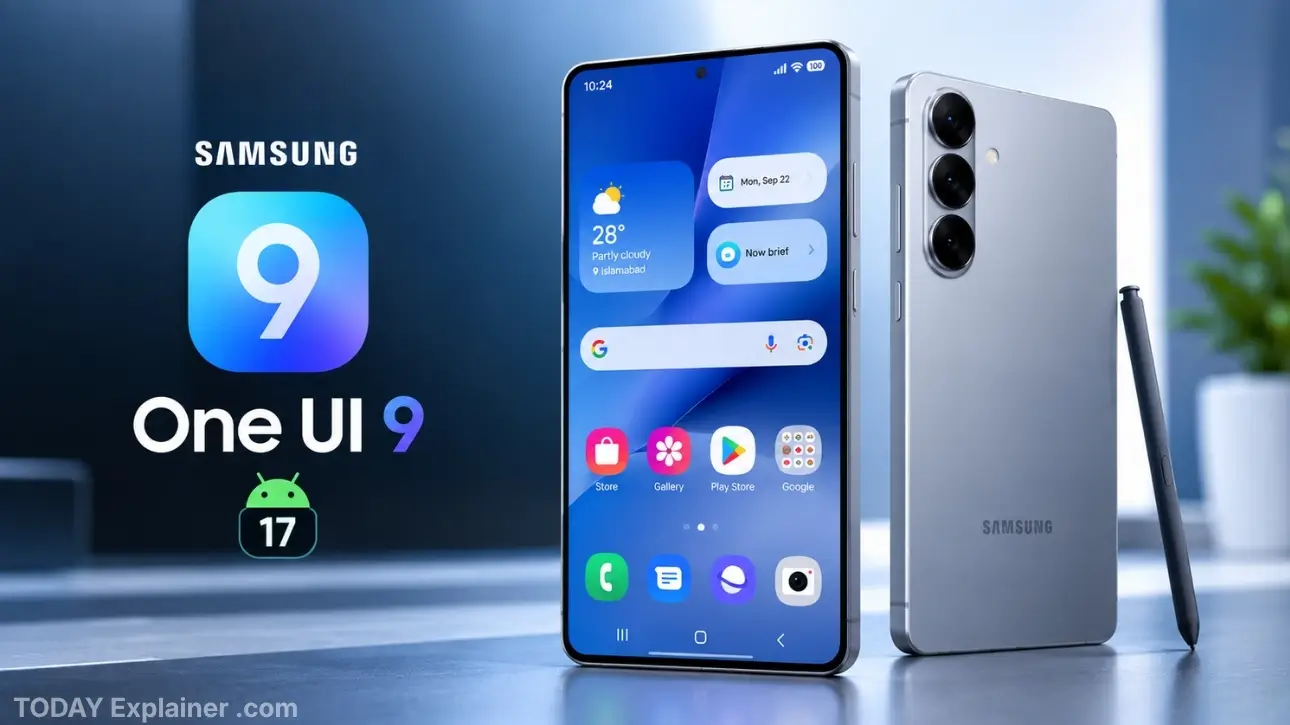
If you own a Galaxy S26, S26+, or S26 Ultra, you’ve likely spent the past several months watching beta after beta arrive on your phone while wondering when the actual, stable version of One UI 9 would show up. We researched Samsung’s own newsroom and community announcements, beta changelogs going back to May 2026, and coverage from outlets that track Galaxy firmware closely to put together this guide.
Samsung ran eight separate One UI 9 beta releases for the Galaxy S26 series between May and September 2026 — an unusually long testing cycle even by Samsung’s standards. Meanwhile, the Galaxy Z Fold8, Fold8 Ultra, and Z Flip8 launched with One UI 9 already installed back in July, and budget devices like the Galaxy A18 got there even earlier. This guide explains what’s actually new, when your device gets it, and what’s confirmed versus still reported.
Quick Answer: One UI 9, built on Android 17, first shipped on the Galaxy Z Fold8 series in July 2026. The Galaxy S26 series spent months in beta and Samsung confirmed in early September that a stable release was coming “soon,” without giving testers or owners an exact date. If you’re on a Galaxy S26 device, check Settings > Software Update — the rollout is regional and staggered, usually starting in South Korea before reaching other markets.
Background: A Slower Rollout Than Usual
Samsung typically moves its S-series flagships onto a new One UI version within a few weeks of a beta program wrapping up. One UI 9 didn’t follow that pattern. The beta for the Galaxy S26 series launched on May 13, 2026, and instead of the usual three or four beta builds, Samsung pushed eight over roughly four months, each one focused mostly on bug fixes rather than new features.
Part of the reason is sequencing. Samsung chose to give the finished, stable version of One UI 9 to its new foldables first, at their July launch, rather than to the S26 series that had already been running the beta for two months. That decision is why current S26 owners have been stuck watching new features arrive on other Galaxy phones before their own.
The Real Timeline: Betas, Foldables, and the S26’s Long Wait
Here’s the sequence, pieced together from Samsung’s own announcements and firmware changelogs:

- May 12–13, 2026: Samsung announces the One UI 9 beta and pushes the first build to the Galaxy S26, S26+, and S26 Ultra in South Korea, the UK, Germany, and the US, with India and Poland added on May 26.
- June–August 2026: Betas 2 through 7 roll out roughly every two to three weeks, mostly patching display glitches, camera preview bugs, and Quick Panel issues. None of them add the marquee AI features Samsung had promised for the stable release.
- July 22, 2026: Samsung launches the Galaxy Z Fold8, Fold8 Ultra, and Z Flip8 with One UI 9 pre-installed — the first devices to run the finished software, complete with the full AI feature set.
- September 1, 2026: Samsung releases the eighth S26 beta (513MB, firmware ending in ZZHM) and separately posts on its Community forum that a stable release for the S26 series is coming “soon,” without naming a date.
Note on dates and regions: Beyond the confirmed points above, some outlets have circulated more specific regional rollout dates for the stable release — for example, later September dates for Canada and Singapore. We could not independently verify those specific dates against an official Samsung source at the time of writing, so treat anything beyond the confirmed timeline above as reported rather than settled. Samsung’s usual pattern is South Korea first, followed by Europe within days, with North America and other regions sometimes taking longer.
Key Terms Explained
| Term | Simple Definition | Why It Matters for Buyers |
|---|---|---|
| One UI 9 | Samsung’s custom Android interface layered on top of Android 17 | This is the software version, not the phone itself — the same phone runs very differently before and after the update |
| Android 17 | Google’s underlying operating system that One UI 9 is built on | Brings system-level changes like per-app contact permissions, independent of anything Samsung adds |
| Beta program | A pre-release, opt-in test version available through the Samsung Members app | Lets you try new features early, but beta builds can be less stable and harder to roll back from |
| Stable release | The finished version pushed to all eligible devices, not just beta testers | This is the version most people should wait for unless they’re comfortable troubleshooting bugs |
| Firmware / build number | The specific version code (for example, ending in ZZHM) tied to a given update | Useful for confirming exactly which patch or beta you’re running when comparing notes online |
| Security patch level | The monthly Android security fix bundled into a firmware update | A newer patch date means more recent vulnerabilities have been addressed, separate from feature changes |
| Now Brief | A One UI 9 widget summarizing notifications, security alerts, and your schedule | Central to several other new features, so its usefulness depends on how much you rely on notifications |
| Samsung Account | The account tied to your device for backups, Find My Mobile, and increasingly, AI features | Several One UI 9 features won’t function at all unless you’re signed in |
Rollout Schedule by Device and Region
The Galaxy Z Fold8, Fold8 Ultra, and Z Flip8 have run One UI 9 since their July 22, 2026 launch. For the Galaxy S26 series, Samsung’s own confirmed timeline stops at “a stable release is coming soon” as of its September 1 Community post — there is no officially published date for when it lands in any specific country.
Based on Samsung’s historical rollout pattern for this device, expect the order to run roughly: South Korea first, other beta markets (Germany, UK, Poland, India, US) within one to two weeks, and remaining regions after that. If your region isn’t listed among the beta markets, there’s no guarantee of a faster or slower stable rollout — it depends on carrier approval processes as much as Samsung’s own schedule.

Which Devices Already Have It vs. Still Waiting
Already running One UI 9:
- Galaxy Z Fold8, Fold8 Ultra, Z Flip8 (shipped with it in July 2026)
- Galaxy S26 FE
- Galaxy A18
Still on beta or waiting for stable, as of this writing:
- Galaxy S26, S26+, S26 Ultra
- Galaxy S25 series (beta testing for these began in September 2026, alongside the S26’s eighth beta)
The detail worth sitting with here: Samsung’s own current-generation flagship line, the S26 series, was not first in line for its own company’s newest software. Two of Samsung’s less expensive devices got there first.
Personalization Features
One UI 9’s personalization changes center on a handful of new tools rather than a visual redesign:
- My FanCam automatically reframes video to keep a chosen subject centered, aimed at people recording group activities or events on their own.
- Now Brief pulls together notifications, security alerts, and calendar events into a single daily summary widget.
- Warranty and Care is a built-in hub for checking device warranty status and scheduling service, replacing what used to require a separate app or a support call.
Productivity Features
- Now Nudge surfaces contextual reminders based on your routines and location.
- Creative Studio expands on the contact-card and note-decoration tools introduced in earlier betas, adding more templates and editing options.
- Interpreter provides real-time translation during calls or conversations, one of the features gated behind a Samsung Account login.
- Document Scan improves built-in scanning and cleanup for photographed documents.
- Voice Recorder gets transcription and summary improvements.
Security and Privacy Features
- Security Brief gives a periodic summary of your device’s security status.
- Privacy Alerts flags apps or activity that may be accessing your data in ways you haven’t reviewed. This feature isn’t exclusive to the S26 or Z Fold8 lines — Samsung’s own device list for Privacy Alerts spans the Galaxy S23 through S26 series and the Tab S9 through S11 tablets, so it’s a broader rollout than a single-device feature.
- Scam Detection analyzes calls and messages for known scam patterns, though availability varies by country depending on local carrier data and language support.
The Samsung Account Requirement
Worth flagging plainly: several of the features above, including My FanCam, Now Brief, Now Nudge, and Interpreter, require you to be signed into a Samsung Account to work at all. If you use your Galaxy device without a Samsung Account, or with account features disabled for privacy reasons, expect a noticeably shorter list of what actually changes for you after the update.
Buying Tip: If AI features are the reason you’re excited about this update, sign into your Samsung Account and check for any regional restrictions before assuming a feature will work exactly as described — some of these tools roll out to specific markets first, separately from the base software update.

How to Check for the Update
- Open Settings.
- Scroll to Software update.
- Tap Download and install.
- If nothing appears, your region or carrier hasn’t received it yet — this is normal during a staggered rollout and not a sign your phone is excluded.
Why This Matters (What Actually Changes for You)
For everyday use: The Now Brief widget and Quick Panel changes are the parts you’ll notice within the first few minutes, since they sit on your home screen and lock screen.
For photography and video: My FanCam and the Expert RAW fixes patched during the beta cycle are the most relevant additions if you shoot a lot of video or use manual camera modes.
For security-conscious users: Privacy Alerts and Scam Detection are incremental but genuinely useful additions, particularly if you’ve never dug into Android’s permission settings on your own.
For anyone without a Samsung Account: Most of the headline AI features simply won’t apply to you, which is worth knowing before you build up expectations around this update.
What to Expect Next
- Samsung will likely confirm an exact stable rollout date for the S26 series through its Community forum before it goes live broadly, based on how it handled the announcement pattern in early September.
- The Galaxy S25 series beta suggests older flagships are next in line, though a stable timeline for them hasn’t been indicated yet.
- Expect incremental One UI 9.x updates through the rest of 2026, following Samsung’s usual pattern of smaller point releases between major versions.
Common Misconceptions
Myth: If your phone hasn’t gotten the update yet, Samsung has excluded it. Reality: A staggered regional rollout is standard practice, not a sign of exclusion — it usually reflects carrier testing and network conditions rather than a decision about your specific device.
Myth: Beta and stable versions are basically the same thing. Reality: Beta builds are pre-release software that can contain bugs Samsung hasn’t finished fixing; the stable release is the version intended for general use.

Myth: Every Galaxy phone with the same beta features will get the same AI tools. Reality: Several features require region-specific language support or a Samsung Account, so two people running the same firmware build can see different capabilities.
Myth: Updating immediately is always the safest choice. Reality: Waiting a week or two after a stable release lets any early bug reports surface, which is a reasonable approach if your phone is your only device.
Myth: A newer firmware build number always means more features. Reality: Most of the S26’s eight betas were bug-fix releases with no new features at all — the build number went up without the feature set changing.

Myth: One UI 9 is a full visual redesign. Reality: The bulk of the changes are new tools and settings layered onto the existing design, not a ground-up interface overhaul.
Recent Developments
- July 22, 2026: One UI 9 stable ships on the Galaxy Z Fold8, Fold8 Ultra, and Z Flip8.
- August 25, 2026: Sixth S26 beta patches display bugs in the Now Brief widget and home screen.
- September 1, 2026: Eighth S26 beta released; Samsung’s Community team confirms a stable release is coming “soon” without a firm date.
- September 2026: Beta testing begins for the Galaxy S25 series, expanding One UI 9 testing beyond the current flagship generation.
Real Buyer Scenarios
A Galaxy S26 owner who bought the phone at launch: You’ve likely been running beta builds for months out of curiosity or FOMO. If stability matters more to you than early access, switching back to the stable channel once it’s released — rather than staying on beta indefinitely — is usually the more reliable path.
Someone considering a Galaxy A18 or S26 FE because they’re “already on One UI 9”: That’s a fair reason to lean toward either device if the software itself matters to you more than flagship-tier hardware, since both already run the finished version.

A Galaxy Z Fold8 owner deciding whether to bother with the AI features: Since your device came with One UI 9 out of the box, the main thing worth checking is whether you’re signed into a Samsung Account — without it, several of the features covered in this guide simply won’t appear.
Buying and Updating Tips
- Back up your phone through Samsung Cloud or Smart Switch before installing any major software update.
- If you’re not enrolled in the beta program, there’s no way to force an early stable install — patience is the only option until your region is reached.
- Check your carrier’s own update page if you bought the phone through a carrier rather than directly from Samsung, since carrier approval can add extra delay.
- If a feature described here doesn’t appear after updating, check whether it requires a Samsung Account login before assuming something went wrong.
- Avoid third-party firmware download sites promising an “early” stable build — sideloading unofficial firmware carries real risk to your device’s security and warranty.
Conclusion and Final Verdict
Best overall takeaway: One UI 9 is a genuinely useful, if unevenly rolled out, update — most of what it adds is incremental rather than transformative, and its most talked-about AI features depend on being signed into a Samsung Account.
Best for photography and video: My FanCam and the Expert RAW fixes are the standout additions if that’s your main use case.
Best for security-conscious users: Privacy Alerts and Scam Detection are worth having, even if neither one is flashy.
The Bottom Line: If you own a Galaxy S26, the wait has been longer than usual, and Samsung hasn’t been especially transparent about why. The update itself, once it arrives, is a solid but modest step forward rather than a dramatic overhaul — and several of its most interesting features only work if you’re logged into your Samsung Account, which is worth checking before you get your hopes up about any single tool on this list.
FAQs
Q: What Android version is One UI 9 based on? A: Android 17.

Q: Which Samsung phones already have One UI 9? A: The Galaxy Z Fold8, Fold8 Ultra, and Z Flip8, along with the Galaxy S26 FE and Galaxy A18, already run it.
Q: When will the Galaxy S26 get the stable update? A: Samsung confirmed in early September 2026 that a stable release was coming soon, without naming an exact date. Check Settings > Software update for your device’s status.
Q: Do I need a Samsung Account to use One UI 9? A: Not for the base update, but several headline features, including Now Brief and Interpreter, require one to function.
Q: What is Now Brief? A: A home screen widget that summarizes your notifications, security alerts, and upcoming calendar events in one place.
Q: Is beta software safe to install? A: It’s generally stable enough for daily use, but it can contain bugs that the finished version won’t have — install it if you’re comfortable troubleshooting occasional issues.
Q: Can I go back to One UI 8.5 after updating? A: Rolling back is possible but not officially supported by Samsung and can risk data loss, so back up your device first if you’re considering it.
Q: Why did the Galaxy Z Fold8 get One UI 9 before the Galaxy S26? A: Samsung chose to launch its new foldables with the finished software already installed rather than push the completed version to the S26 series first, even though the S26 had been in beta testing longer.
Q: Does One UI 9 change how my phone looks? A: Not dramatically — most changes are new tools and settings rather than a visual redesign.
Q: Is Scam Detection available everywhere? A: Availability depends on your country’s carrier data and language support, so check your local settings menu to confirm.
Q: What is Privacy Alerts? A: A security feature that flags apps or activity accessing your data in ways you may not have reviewed, available across the Galaxy S23 through S26 series and select tablets.
Q: Will older Galaxy phones get One UI 9? A: Beta testing for the Galaxy S25 series began in September 2026, suggesting it’s in Samsung’s plans, though no stable timeline has been confirmed for it yet.
Q: How big is the One UI 9 update? A: Beta build sizes varied significantly throughout the test cycle, from roughly 500MB to over 1.7GB depending on the specific release; the final stable update size will depend on your device and current firmware version.
Q: What happens if the update doesn’t appear in my region yet? A: This is expected during a staggered rollout. There’s no manual way to force it early outside the beta program.