Table of Contents
- Introduction — Why This Matters
- Background / Context
- Key Specs & Terms Explained
- Update Support Comparison (By Brand)
- Individual Breakdown: How Each Major Brand Handles Longevity
- Why This Matters (Buyer Decision Factors)
- What to Expect Next (Category Trends)
- Common Misconceptions
- Recent Developments (Last 6–12 Months)
- Real Buyer Scenarios
- Buying Tips for This Price Range
- Conclusion and Final Verdict
- FAQs
- Where to Verify Prices & Specs
- Discussion
Introduction — Why This Matters
Most people in Pakistan replace their phone because it “feels slow,” not because it has actually stopped working. The battery drains faster than it used to, an app takes a second longer to open, or a friend shows off a new camera — and suddenly a phone that was perfectly capable a year ago feels obsolete. That feeling is usually fixable, and upgrading every 12 to 18 months is rarely necessary or financially sensible when import duty, PTA tax, and grey-market markups are added on top of the phone’s base price.
We researched official manufacturer support policies, publicly available data on lithium-ion battery behavior, and current PTA registration rules to put together this guide. Software update promises have genuinely improved industry-wide: Google and Samsung now promise seven years of Android OS releases and security updates for several flagship devices, which is a meaningful shift from the two-to-three-year windows that were standard a decade ago. This article covers how to actually get four-plus years out of a phone: protecting the battery from unnecessary wear, understanding what update promises really mean once you own the phone, and running a simple storage audit before you assume the hardware itself is the problem.
Quick Answer: Most modern mid-range and flagship phones are physically and technically capable of lasting 4+ years. The battery is usually the first real limiting factor, followed by storage clutter — not the processor. Fix those two things first, and check your phone’s actual remaining update window, before deciding a new phone is necessary.
Background / Context
The smartphone upgrade cycle used to be driven almost entirely by hardware — a new chipset made the old phone feel genuinely slower at everyday tasks. That gap has narrowed. A mid-range chipset from three or four years ago still runs WhatsApp, Instagram, YouTube, and most mobile games acceptably, because app developers generally optimize for the widest possible range of devices, not just the newest ones.
What’s changed instead is the software support landscape. Google has committed to supporting all Pixel handsets from the Pixel 8 onward for seven years, while the Pixel 6 and Pixel 7 lines get five years of support, and Samsung has promised seven years of OS and security updates for its Galaxy S-series since the Galaxy S24 lineup launched in early 2024. That’s a real, verifiable shift — but it also comes with fine print buyers rarely read, which this guide unpacks below. For Pakistani buyers specifically, 2026 has also brought updated PTA/DIRBS tax rules and a used-phone valuation revision that changes the math on keeping an older device registered versus importing a new one, both of which are covered later in this guide.
Key Specs & Terms Explained
| Term | Simple Definition | Why It Matters for Buyers |
|---|---|---|
| Battery Cycle | One full charge from 0% to 100%, whether done in one sitting or spread across a day | Lithium-ion batteries are rated for a set number of cycles (commonly 500–1,000+) before capacity noticeably drops |
| Battery Health / Capacity % | A percentage showing how much charge the battery can hold compared to when it was new | A battery below ~80% capacity is the single biggest reason a phone feels “old” — often fixable with a battery replacement, not a new phone |
| OS Update | A major version upgrade (e.g., Android 15 to Android 16, or iOS 18 to iOS 19) that adds new features | Determines whether new apps and features will keep working properly on your phone |
| Security Patch | A smaller, more frequent update that fixes vulnerabilities without changing features | Keeps your phone safe from malware and exploits even after major OS updates stop |
| Bloatware | Pre-installed apps you didn’t choose and may never use, running in the background | Eats storage and RAM over time, which is a common — and reversible — cause of slowdown |
| UFS Storage | The type/generation of internal storage chip (e.g., UFS 2.2, UFS 3.1, UFS 4.0) | Faster storage keeps a phone feeling responsive years later; slower storage ages more noticeably |
| RAM Management (RAM Plus/Extended RAM) | Software that uses part of your storage as extra virtual memory | Helps older phones run more apps at once, but relies on storage speed and health |
| DIRBS/PTA Approval | PTA’s system that must register a phone’s IMEI before it can use local SIM services long-term | An unregistered phone gets blocked from calls, SMS, and mobile data after the grace period — directly affects resale value and usability |
Update Support Comparison (By Brand)
| Brand | Flagship Update Promise | Mid-Range Update Promise | Notes |
|---|---|---|---|
| Samsung | 7 years OS + security (Galaxy S24 and later) | Select A-series models get 4–6 years depending on tier | Older flagships bought before 2024 (e.g., Galaxy S21) may already be losing support |
| 7 years OS + security (Pixel 8 and later) | Pixel 6/7 series: 5 years | A-series Pixels launch later than mainline, so real-world support can run slightly longer | |
| Apple | No fixed public number, but 6–8 years in practice | Same policy applies across the iPhone line | The 2019 iPhone 11 is expected to still receive iOS updates around its seventh birthday in 2026 |
| Honor | 7 years on select recent flagship/foldable models | Shorter on budget models | A relatively new commitment; track record is shorter than Samsung/Google |
| Motorola | 5 years on newer models after policy changes | Historically 2–3 years, improving after EU pressure | Most Motorola devices traditionally received only 2–3 years of security updates and one major OS upgrade, though EU regulation requiring at least 5 years of security updates pushed newer models to a longer window |
| Xiaomi / OnePlus | Commonly 4 years on recent flagships | Often shorter on budget series | Check the specific model — support windows vary more by device tier than at Samsung or Google |
Prices and update policies are set by manufacturers and can change; always verify the current promise for your exact model on the brand’s official support page before buying or holding onto a phone. Last checked August 2026.
Individual Breakdown: How Each Major Brand Handles Longevity
Samsung — Best Official Promise, With a Catch
- Update Policy: 7 years OS + security for flagship Galaxy S models from the S24 onward; shorter windows for A-series.
- What Stands Out: The seven-year commitment is now backed by multiple flagship generations, and Samsung has extended similar treatment to more of its lineup than most competitors.
- Where It Falls Short: Samsung has, on more than one occasion, quietly withheld Google Play system updates — smaller background updates that carry features like the Privacy Dashboard and Digital Wellbeing — from flagship devices for months at a time without notifying users. A “supported” phone isn’t always getting every update it’s entitled to on schedule.
- Best For: Buyers who want the longest official runway and don’t mind occasional delays in secondary updates.
Google Pixel — Cleanest Update Experience
- Update Policy: 7 years for Pixel 8 and later; 5 years for Pixel 6/7.
- What Stands Out: Because Google controls both the hardware and Android itself, Pixel updates tend to roll out faster and more consistently than on other Android brands.
- Where It Falls Short: Pixel devices have limited official retail presence in Pakistan, so most units are imported — meaning PTA registration cost and process need to be factored in before buying.
- Best For: Buyers who prioritize a stable, bloat-free software experience and are comfortable navigating PTA registration for an imported device.
Apple iPhone — Longest Track Record, No Formal Promise
- Update Policy: No fixed public number of years, but consistently 6+ years in practice.
- What Stands Out: Apple has never made a formal update-length promise, but iPhones routinely receive long-term support, with the 2019 iPhone 11 series still expected to run the newest iOS release around its seventh birthday in 2026.
- Where It Falls Short: Because there’s no official written guarantee, buyers are relying on Apple’s track record rather than a contractual commitment — and that track record can change.
- Best For: Buyers who want a device they can realistically expect to keep updating for most of a decade without needing to check a brand-specific policy page every year.
Honor, Motorola, Xiaomi, and OnePlus — Read the Fine Print
- Update Policy: Ranges widely — Honor now matches the 7-year promise on select flagships, while Motorola historically limited most devices to 2–3 years of security updates and a single major OS upgrade before EU regulatory pressure pushed newer models toward a 5-year minimum. Xiaomi and OnePlus commonly sit around 4 years on recent flagships.
- What Stands Out: These brands often deliver strong hardware-per-rupee value, which matters more in Pakistan’s price-sensitive market than in flagship-heavy markets.
- Where It Falls Short: Support length varies dramatically by specific model and price tier within the same brand — a flagship and a budget phone from the same company can have very different update timelines.
- Best For: Buyers who are comfortable checking the exact model’s official support page rather than assuming a brand-wide policy applies uniformly.
Why This Matters (Buyer Decision Factors)
Battery Health Is the Real Four-Year Wall
Lithium-ion batteries degrade with every charge cycle, and that degradation — not the processor — is usually what makes a 3-to-4-year-old phone feel unreliable. A battery that drops below roughly 80% of its original capacity struggles to get through a full day, throttles performance under heavy load, and in some cases can cause unexpected shutdowns.
Heat Is the Fastest Way to Age a Battery
Charging a phone in direct sunlight, leaving it in a hot car, or gaming for hours while it’s plugged in generates heat that accelerates chemical wear inside the battery — far more than the number of charge cycles alone. Pakistan’s summer heat makes this a genuinely bigger factor for local users than for buyers in cooler climates.
Partial Charging Beats Full 0–100% Cycles
Keeping a phone’s charge roughly between 20% and 80% most of the time, rather than routinely draining it to zero or leaving it on the charger overnight at 100%, reduces the chemical stress that causes long-term capacity loss. This single habit change costs nothing and is one of the most effective things a buyer can do.
Storage Clutter Mimics Hardware Slowdown
A phone with less than 10% of its storage free often becomes measurably slower at everyday tasks — opening apps, taking photos, switching between apps — because the operating system needs free space to manage temporary files and cache. This is frequently mistaken for the phone itself “getting old.”
Software Support Length Isn’t the Whole Story
A seven-year update promise sounds definitive, but as the Samsung Play-system example above shows, “supported” and “fully up to date” aren’t always the same thing in practice. Buyers should treat published update-year numbers as a ceiling, not a guarantee of a flawless update cadence every single month.
Buying Tip: Before assuming your phone needs replacing, check its battery health percentage in Settings and its available storage. If the battery is below 80% and storage is nearly full, fixing both is usually far cheaper than buying a new phone — and often solves the “slow phone” feeling entirely.
What to Expect Next (Category Trends)
- Update promises will likely keep extending. With Google and Samsung both anchored at seven years, competitive pressure makes it likely that more brands — particularly those selling into markets with strict e-waste regulation like the EU — will push mid-range devices toward five-plus years of support over the next few product cycles.
- Battery-health transparency will improve. Battery health percentages are now a standard feature on both Android and iOS; expect this to become a more prominent marketing point as buyers get more comfortable checking it before purchase, similar to how mileage is checked on a used car.
- PTA tax rules will keep shifting. Pakistan’s DIRBS tax structure and used-device valuation rules have already been revised in 2026, and further adjustments tied to exchange rates and customs rulings are likely, which affects the cost comparison between repairing/keeping an old phone and importing a new one.
Common Misconceptions
Myth: Higher RAM number always means better performance. Reality: RAM helps a phone keep more apps open at once, but it doesn’t fix a degraded battery or a nearly-full storage drive, which are the more common real-world causes of a phone feeling slow.
Myth: Grey-market phones work exactly the same as PTA-approved ones. Reality: An unregistered phone will lose access to calls, SMS, and mobile data on Pakistani networks once its grace period ends — Wi-Fi-Fi will still work, but the phone becomes far less useful and harder to resell.
Myth: You should always charge your phone to 100% and let it drain to 0%. Reality: Full charge-and-drain cycles create more chemical stress on a lithium-ion battery over time than keeping it in a moderate charge range most days.
Myth: A phone with more years of promised updates will always feel newer, longer. Reality: Update promises cover OS versions and security patches, not smaller background updates, which — as Samsung’s own Play-system delays show — aren’t always delivered on the same predictable schedule.
Myth: Closing background apps constantly saves battery and speeds up your phone. Reality: Modern operating systems manage background apps efficiently on their own; repeatedly force-closing and reopening apps can actually use more battery than leaving them paused in the background.
Myth: A phone that’s four years old is automatically outdated for everyday use. Reality: For calling, messaging, browsing, and social media, a well-maintained four-year-old mid-range or flagship phone with a healthy battery and free storage performs very similarly to a new one for most daily tasks.
Myth: Battery replacement isn’t worth it — you might as well buy a new phone. Reality: A battery replacement typically costs a small fraction of a new phone’s price and, for most people whose only complaint is battery life, restores the phone to a genuinely usable state.
Recent Developments (Last 6–12 Months)
- March 2026: Samsung’s Galaxy S26 series launched worldwide, continuing the company’s seven-year OS and security update commitment first introduced with the Galaxy S24 lineup.
- Early 2026: Samsung’s Galaxy S21 series — launched in 2021, before the seven-year pledge began — was confirmed to have lost regular update support, having stepped down to quarterly security updates through 2025 before being fully retired.
- January 2026: An FBR valuation ruling reduced customs values for a large batch of used and refurbished phone models, including several iPhone, Samsung, Pixel, and OnePlus generations, lowering PTA registration tax on those specific used devices.
- Early 2026: Samsung temporarily suspended distribution of Google Play system updates to flagship Galaxy S25 devices before resuming rollout, an update-delay pattern the company has repeated in past years.
- 2026: TechRadar’s tracking confirmed several Samsung mid-range and 2023-era flagship models reached their final Android version update in 2026, with security patches continuing only through 2028 — a useful reminder that “supported” doesn’t mean “still getting new features.”
Real Buyer Scenarios
Scenario 1 — The university student on a tight budget. A student bought a mid-range Android phone two years ago and finds it lagging during online classes and note-taking apps. Before shopping for a replacement, a quick storage audit reveals over 40GB used by cached files and unused apps; clearing that, along with disabling a handful of auto-starting background apps, restores day-to-day speed without spending anything.
Scenario 2 — The small business owner relying on their phone for work. A shop owner uses their phone constantly for calls, WhatsApp Business, and mobile banking, and the battery now drains by early afternoon. Rather than buying a new phone mid-year, a battery replacement at an authorized service center brings the phone back to near-full-day battery life at a fraction of the cost of a new device.
Scenario 3 — The buyer importing a phone from abroad. A family member is bringing back a used flagship phone from overseas. Before assuming it can simply be used on arrival, the buyer checks its DIRBS status via SMS to 8484, confirms it isn’t already registered, and budgets for the applicable PTA registration tax — factoring that cost into whether it’s actually cheaper than a comparable phone bought locally.
Buying Tips for This Price Range
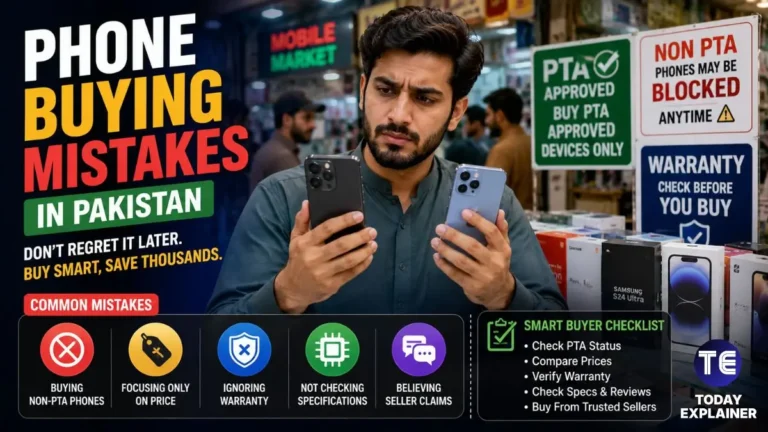
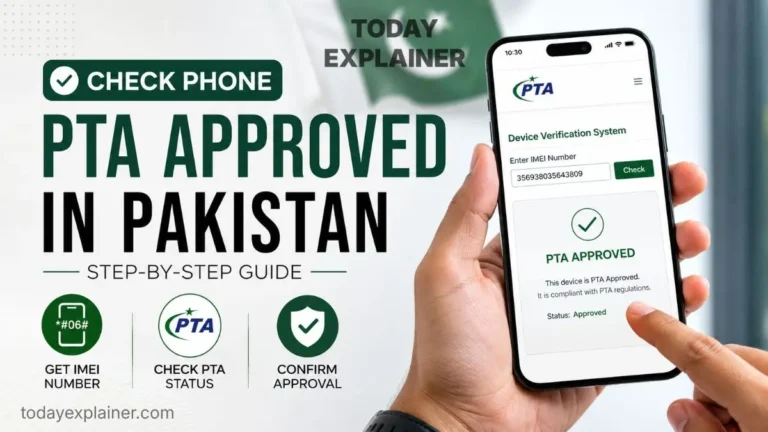
- Check DIRBS status before buying any used or imported phone by sending the IMEI to 8484 or checking the DIRBS portal — a “non-compliant” result means it isn’t usable long-term on local networks.
- Ask for the battery health percentage on any used phone before buying it; a battery below 80% is a legitimate reason to negotiate the price down or replace the battery before use.
- Buy from authorized retailers when possible — locally sold phones from official channels are typically already PTA-registered, avoiding a separate registration process and tax payment.
- Keep the original box and proof of purchase — both make PTA registration, warranty claims, and eventual resale significantly easier.
- Register imported phones within the applicable grace period to avoid the phone being blocked from local SIM services partway through ownership.
- Avoid charging overnight at 100% out of habit — it’s a small change with a real long-term effect on battery lifespan.
- Budget for a battery replacement around the 2–3 year mark as routine maintenance, not a sign of a failing phone — it’s often the single most cost-effective way to extend a phone’s useful life toward the 4-year mark and beyond.
Conclusion and Final Verdict
Best overall for longevity: A recent Samsung Galaxy S or Google Pixel flagship, backed by the industry’s longest official update promises. Best for predictable long-term support without checking policy pages every year: iPhone, given Apple’s consistent multi-year track record even without a formal published guarantee. Best for stretching a phone you already own: Whatever you’re currently using — a battery check, a storage cleanup, and better charging habits will do more for most people than a new purchase.
The Bottom Line: The phone in your pocket right now is very likely capable of lasting into 2030 with basic care — a healthy battery, reasonable free storage, and awareness of when its official update window actually ends. Upgrading every year mostly buys marginal camera and performance gains at a real cost, once PTA tax and import markups are factored in. Save the upgrade for when your phone’s update support genuinely runs out or a repair is no longer cost-effective, not simply because a newer model has launched.
FAQs
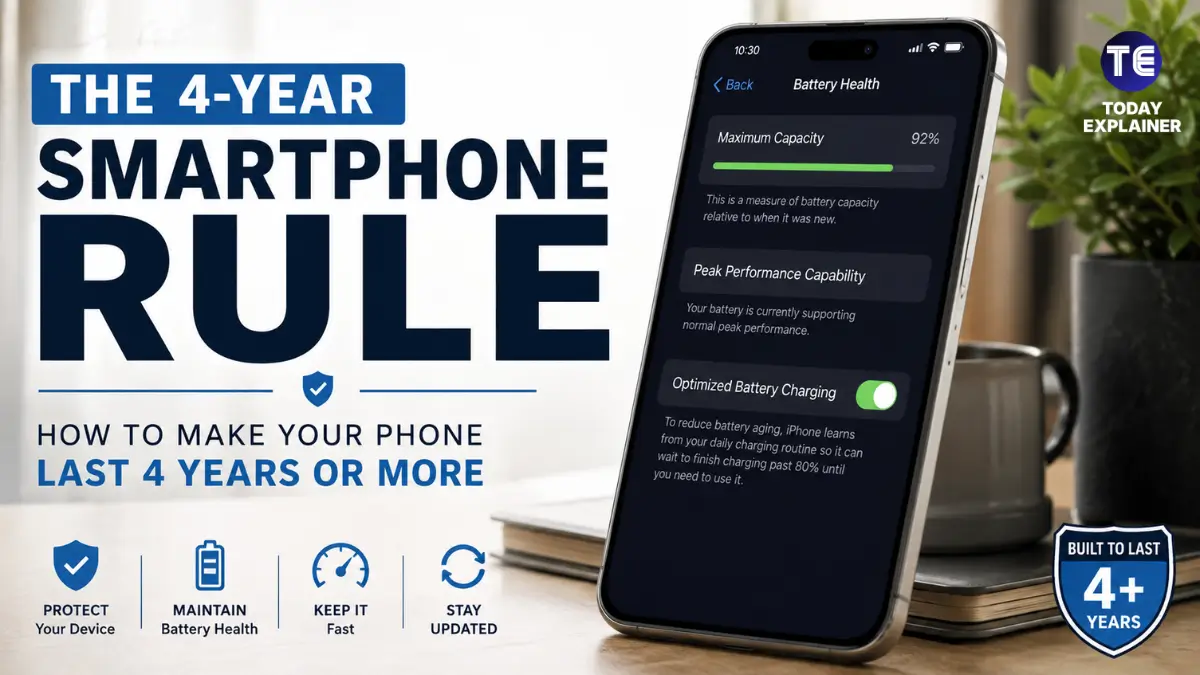
Q: What is the “4-year smartphone rule”? A: It’s the idea that most modern mid-range and flagship phones are technically and physically capable of lasting four or more years with reasonable battery care and storage management, rather than needing replacement every one to two years.
Q: How do I check my phone’s battery health? A: On iPhone, go to Settings > Battery > Battery Health & Charging. On most Android phones, check Settings > Battery, though the exact menu name varies by brand — some show a percentage directly, others require a diagnostic app from the manufacturer.
Q: Is it bad to charge my phone overnight? A: Modern phones stop charging once they hit 100% and use trickle charging to maintain that level, so overnight charging won’t damage a phone in one night. Doing it every single night for years, however, keeps the battery at a high-stress charge level more often than necessary.
Q: Does closing background apps improve battery life? A: Not usually — modern operating systems suspend background apps efficiently on their own, and repeatedly force-closing and reopening apps can use more battery than leaving them paused.
Q: What does “7 years of software updates” actually include? A: It typically covers major OS version upgrades and security patches for that period. It does not always guarantee every smaller background update arrives on schedule, as shown by documented delays to Google Play system updates on some Samsung flagships.
Q: How do I know if my phone is PTA approved? A: Send your phone’s 15-digit IMEI number (dial *#06# to find it) via SMS to 8484, or check it directly on the DIRBS portal at dirbs.pta.gov.pk.
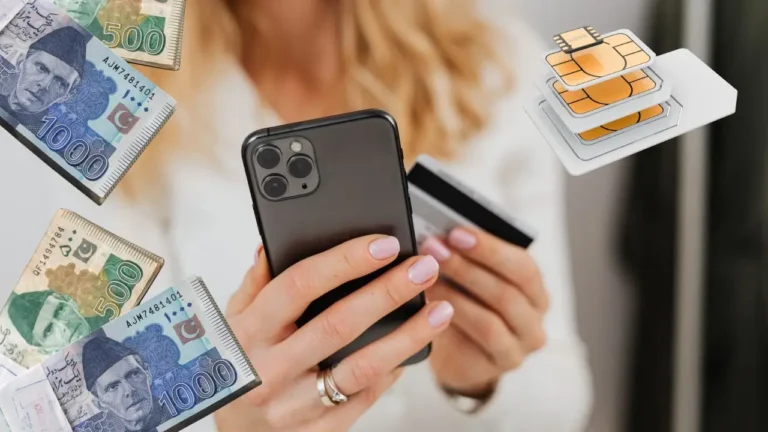
Q: What happens if my phone isn’t PTA registered? A: After the applicable grace period, the phone will be blocked from calls, SMS, and mobile data on Pakistani networks. Wi-Fi-based apps will keep working, but the phone becomes far less useful for daily use.
Q: Is it worth replacing a phone’s battery instead of buying a new phone? A: For most people whose main complaint is battery life or occasional slowdowns, yes — a battery replacement costs a small fraction of a new phone and often resolves the exact issues that were pushing them toward an upgrade.
Q: Does more RAM make an old phone last longer? A: More RAM helps with multitasking, but it doesn’t address battery degradation or a full storage drive, which are more common reasons an older phone feels slow.
Q: How much free storage should I keep on my phone? A: Keeping at least 10–15% of total storage free is a reasonable general guideline; going much below that is when many phones start showing noticeable slowdowns.
Q: Do all Samsung phones get 7 years of updates? A: No — the seven-year promise applies specifically to Galaxy S-series flagships from the S24 generation onward. A-series and older flagship models have shorter, model-specific support windows.
Q: Why do iPhones seem to last longer than Android phones? A: Apple doesn’t publish a fixed update-year promise, but in practice iPhones have historically received updates for six to eight years, partly because Apple controls both hardware and software directly and supports a smaller, more consistent range of devices.
Q: Is buying a used or refurbished phone a good way to save money in Pakistan? A: It can be, especially after 2026’s FBR valuation ruling lowered PTA registration tax on a range of used models — but always verify DIRBS status and battery health before buying, since both directly affect long-term usability and value.
Q: How many phones can an overseas Pakistani register tax-free? A: Generally one used personal phone per calendar year can be registered tax-free using passport-based registration; additional devices are subject to standard duty and tax.
Q: Does gaming heavily on my phone damage the battery faster? A: Extended gaming sessions, especially while charging, generate heat, and heat is one of the most significant accelerators of lithium-ion battery wear — more so than the number of charge cycles alone.

Q: Should I wait for a new phone launch before buying? A: If your current phone’s battery and storage are in reasonable shape and it still has years of official software support remaining, there’s rarely a strong technical reason to wait for or rush toward a new launch.
Where to Verify Prices & Specs
- GSMArena — for full technical specifications and release dates across brands
- Official brand support pages (Samsung, Google, Apple) — for the current, model-specific software update commitment
- PTA DIRBS Portal (dirbs.pta.gov.pk) — for checking registration status and current tax rates
- WhatMobile — for Pakistan-specific retail pricing across major cities
Discussion
How old is the phone you’re using right now, and what’s actually pushing you to consider an upgrade — battery life, speed, camera quality, or simply wanting something new? Have you ever gotten a battery replaced instead of buying a new phone, and was it worth it? And if you’ve imported a phone from abroad, how was your experience registering it through DIRBS — smooth, or more complicated than expected?