Table of Contents
- Introduction — Why This Matters
- Background / Context
- Key Terms Explained
- Comparison Table (All Verification Methods Side-by-Side)
- Method Breakdown
- Why This Matters (What Each Status Actually Means)
- What to Expect Next (Category Trends)
- Common Misconceptions
- Recent Developments
- Real Buyer Scenarios
- Buying Tips for This Situation
- Conclusion and Final Verdict
- FAQs
- About This Guide
- Where to Verify Prices & Specs
- Discussion
Introduction — Why This Matters
Buying a new phone, receiving one as a gift from abroad, or picking up a used device from a friend all raise the same anxious question in Pakistan: will this phone actually work on a local SIM in a few weeks, or will it quietly go dark? The answer depends entirely on one thing — whether the phone’s IMEI is registered as PTA approved in the government’s compliance database.
We researched the Pakistan Telecommunication Authority’s official DIRBS documentation, current verification procedures, and up-to-date tax and registration rules to put together this guide. There is no reliable public figure for exactly how many phones get blocked each year, but PTA’s own DIRBS FAQ confirms the underlying rule that has shaped this market for years: any device that isn’t registered within the compliance window loses access to Pakistani mobile networks. That single rule is why checking PTA status before you buy, and again right after you buy, has become a routine step for smart phone shoppers.
This guide covers the three official ways to check PTA approval status, what each possible result actually means, how the tax and registration process connects to that status, and the most common mistakes people make — including falling for fake “PTA approved” stickers or unofficial websites promising instant unlocks.
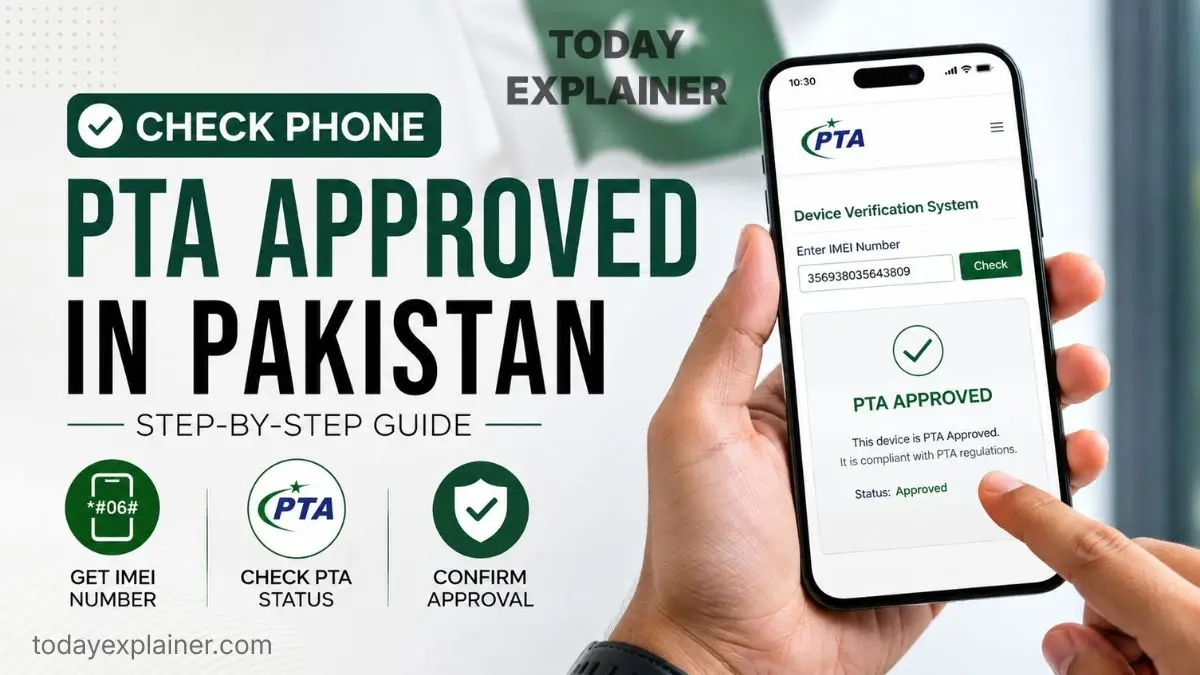
Quick Answer: The fastest and most reliable way to check PTA status is to dial
*#06#to get your IMEI, then send that IMEI as an SMS to 8484. You’ll get an instant reply telling you if the device is Compliant, Non-Compliant, or Blocked. For a more detailed result, use the official DIRBS website at dirbs.pta.gov.pk or the PTA DVS app.
Background / Context
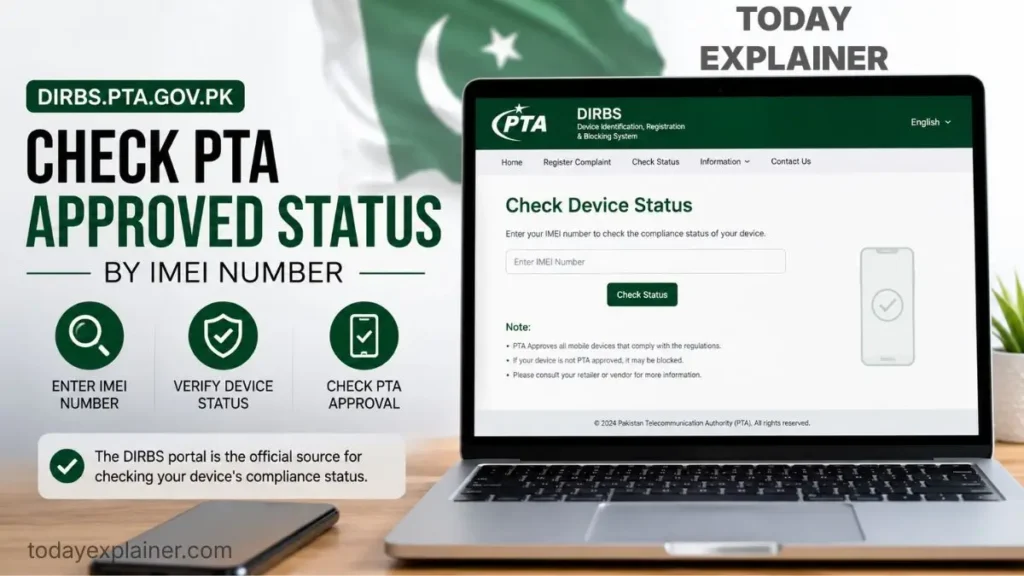
Pakistan’s Device Identification, Registration and Blocking System, known as DIRBS, exists to stop unregistered and smuggled phones from operating on local networks. The system identifies all mobile devices using their IMEI numbers, blocks illegal or non-compliant phones, and allows only PTA-approved devices to work on local networks. If a phone isn’t registered, it doesn’t get seized or bricked — it simply loses the ability to make calls, send texts, or use mobile data on any Pakistani network, while Wi-Fi calling and Wi-Fi internet keep working normally.
Why this matters right now, specifically: import volumes into Pakistan continue to rise every year as more people travel abroad, receive phones as gifts, or buy through informal import channels, and PTA/FBR periodically revise both the registration tax slabs and the underlying customs valuations that feed into them. In April 2026, for example, the FBR issued Valuation Ruling 2035/2026, effective January 16, 2026, which reduced customs values by roughly 32 to 89 percent for 62 used iPhone and Samsung models, changing the effective registration cost for a large share of the used-phone market almost overnight. Because these numbers move, and because status checks are instant and free, checking before and after a purchase costs nothing but a few minutes.
Key Terms Explained
| Term | Simple Definition | Why It Matters for Buyers |
|---|---|---|
| IMEI | A unique 15-digit serial number assigned to every mobile device (or two numbers, on dual-SIM phones) | It’s the identifier PTA uses to look up a device’s status — you need it for every check |
| DIRBS | PTA’s Device Identification, Registration and Blocking System | This is the actual database that decides whether your phone works on local networks |
| PSID | Payment Slip ID generated after you apply for registration on the DIRBS portal | You use this number to pay your registration tax at a bank, ATM, or mobile wallet |
| Compliant | Status meaning the device is fully registered and approved | The phone can be used on any Pakistani SIM indefinitely, no restrictions |
| Non-Compliant | Status meaning the device is recognized but not yet registered/taxed | You can use it temporarily, but it will be blocked if you don’t register and pay within the deadline |
| GSMA Valid | Status meaning the IMEI is genuine and recognized globally, but has never been registered with PTA | Common on freshly imported or gifted phones — registration is still required |
| CNIC vs Passport registration | Two different registration categories with different tax rates | Passport registration (for travelers/overseas Pakistanis with recent verified travel) is typically cheaper than CNIC registration |
Comparison Table (All Verification Methods Side-by-Side)
| Method | Cost | Speed | What You Need | Best For |
|---|---|---|---|---|
| SMS to 8484 | Free | Instant (seconds) | Any phone with SIM signal, no internet | Quick checks anywhere, including before buying a used phone in person |
| DIRBS website (dirbs.pta.gov.pk) | Free | Instant to a few minutes | Internet access, a browser | Detailed results, and required if you also need to register/pay tax |
| PTA DVS mobile app | Free | Instant | A smartphone with internet, Android or iOS | People who prefer scanning the IMEI barcode instead of typing it |
Method Breakdown
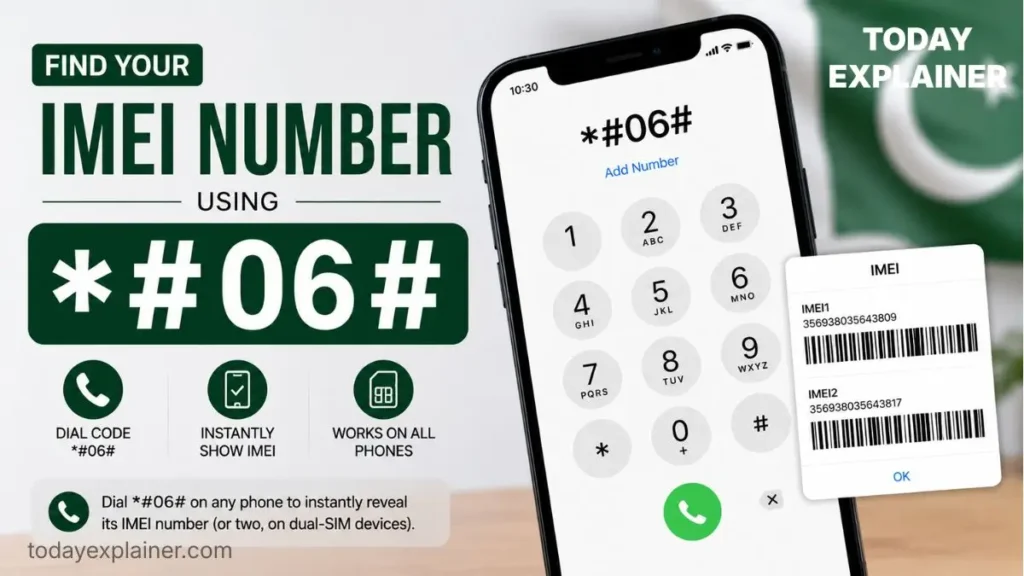
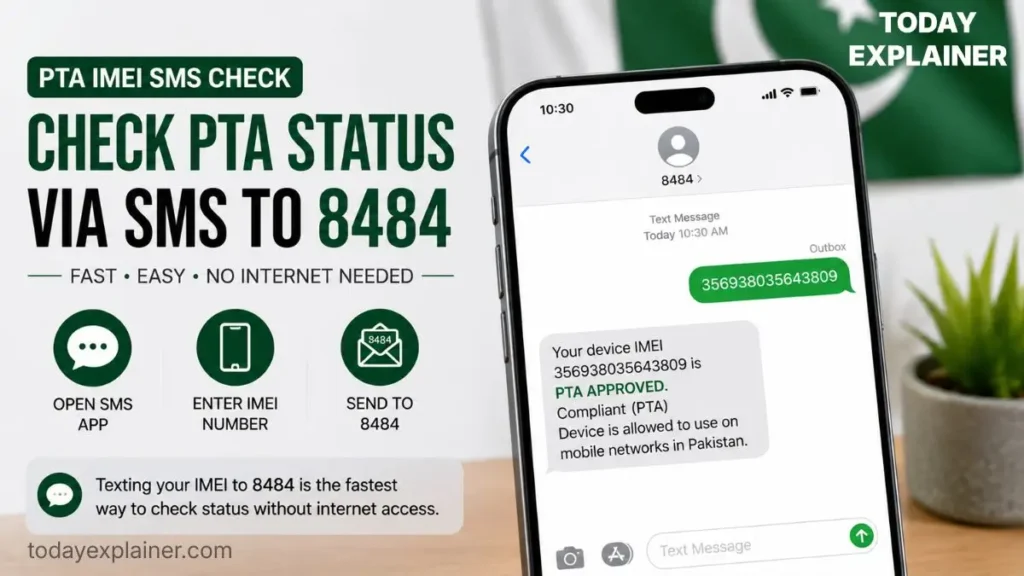
Method 1 — SMS Verification (Send IMEI to 8484)
- What it is: A text-message-based check straight to PTA’s system.
- Steps:
- Dial
*#06#on the phone you want to check. This instantly displays the IMEI number, and dual-SIM phones will show two IMEI numbers — note both for verification. - Open your messaging app and send that IMEI number as a plain text message to 8484.
- You’ll receive a reply telling you whether the IMEI is Compliant (PTA Approved/Registered), GSMA Valid but not yet approved, or Blocked.
- Dial
- What Stands Out: No internet connection needed, works from any basic or smartphone, and gives an answer within seconds — this makes it the best option to run on the spot before you hand over cash for a used phone.
- Where It Falls Short: The SMS reply is short and doesn’t show extra account details like registration history, so it’s better for a quick yes/no than for managing the full registration process.
- Best For: In-person purchases, quick spot-checks, and anyone without reliable internet at the moment of buying.
- Pros:
- Completely free
- Works without internet
- Fastest possible result
- Cons:
- Requires local SIM signal to send/receive the SMS
- No detailed breakdown, just a status message
Method 2 — DIRBS Official Website
- What it is: PTA’s official web portal where you can verify a device’s approval status by entering its IMEI number, and immediately receive an approval or denial result.
- Steps:
- Get the IMEI using
*#06#as above. - Visit the official DIRBS site and find the device status check page.
- Enter the IMEI and submit — the result appears on-screen right away.
- If the device shows as Non-Compliant, this same portal is where you create an account and start the registration/tax-payment process, which generates your PSID.
- Get the IMEI using
- What Stands Out: This is the only method that also lets you move directly into registration and tax payment if the phone isn’t compliant yet, so it does double duty as both a checker and the actual registration tool.
- Where It Falls Short: Government portals can be slow at peak hours, and the registration side of the site (as opposed to the simple status check) has more steps, including account creation and document uploads for the Individual Certificate of Compliance.
- Best For: Anyone who already knows (or suspects) their phone is Non-Compliant and wants to register and pay tax in the same session.
- Pros:
- Doubles as the registration and payment portal
- Detailed, official result
- Accessible from any device with a browser
- Cons:
- Needs a stable internet connection
- Can be slower than SMS during high-traffic periods
Method 3 — PTA DVS Mobile App
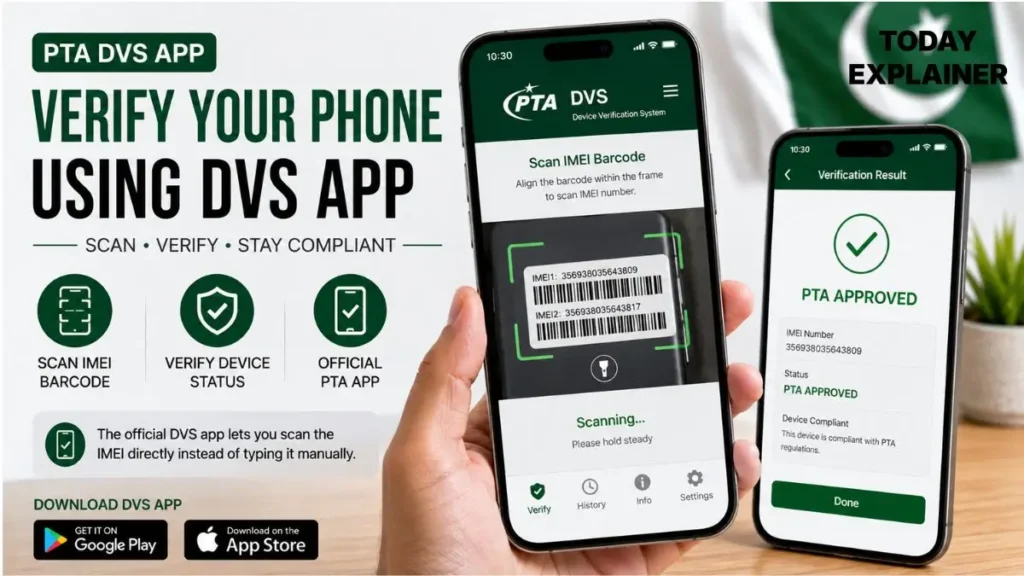
- What it is: An official app that checks the compliance status of IMEI-based devices, letting you enter the device IMEI and search the PTA database for compliance, with a built-in scanner so you can scan the IMEI instead of typing it.
- Steps:
- Download “PTA DVS” from the Google Play Store or Apple App Store.
- Open the app and either scan the IMEI barcode (usually printed on the box or under the battery on older devices) or type it manually.
- Tap verify and view the result — results appear as Compliant, Non-compliant, or Blocked.
- What Stands Out: The barcode scanner removes the risk of a manual typing error, which matters because a single wrong digit in a 15-digit IMEI gives you a meaningless result.
- Where It Falls Short: Some users have reported the scanner crashing or failing to launch on certain iOS versions, so a manual IMEI entry (or the SMS method) is a good fallback if the scanner misbehaves.
- Best For: People checking multiple phones, or anyone who finds typing a 15-digit number error-prone.
- Pros:
- Built-in barcode scanner
- Clean, readable results
- Works on both Android and iOS
- Cons:
- Occasional app stability issues on some devices
- Still requires an internet connection to fetch results
Why This Matters (What Each Status Actually Means)
Compliant — you’re fully covered
A Compliant result means the queried IMEI belongs to a device that is compliant, meaning PTA Approved/Registered, along with any other IMEIs associated with that same registration. This is the result you want. It means the phone will keep working on any Pakistani SIM indefinitely, with no tax owed and no deadline hanging over it.
GSMA Valid (not PTA approved) — action needed, but not urgent panic
A GSMA Valid result means the IMEI is genuine and valid globally, but not yet approved or registered by PTA, and the buyer needs to register the device at a nearby mobile franchise or through DIRBS. This is extremely common on phones freshly brought in from abroad, gifted devices, or grey-market imports. It is not a red flag about the phone’s authenticity — it just means the registration step hasn’t happened yet.
Non-Compliant / awaiting registration — you’re on the clock
Once you insert a local SIM into an unregistered phone, a countdown starts. Multiple official and secondary sources consistently describe this window as 60 days from first SIM insertion, after which the device loses access to local cellular networks (calls, SMS, and mobile data) until tax is paid and registration completes. Wi-Fi continues to function normally throughout.
Blocked — the phone cannot be used on local networks
A Blocked status means the device has already been reported (commonly for theft, fraud, or a lapsed registration deadline) and cannot be used on any Pakistani network until the block is resolved through PTA, which in the case of stolen/lost reports usually cannot be undone by a new buyer at all. This is exactly why checking status before paying for a used phone matters more than checking it after.
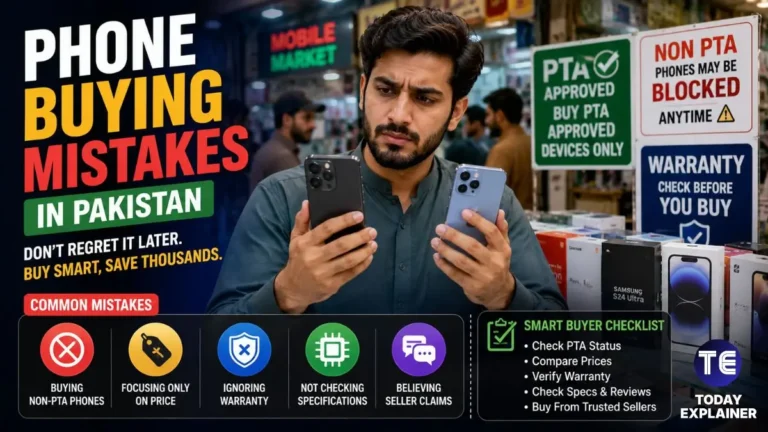
Buying Tip: Never rely on a “PTA Approved” sticker alone when buying a used or imported phone in person. Stickers can be printed or reused. Always run the IMEI through at least one official method — ideally SMS to 8484 on the spot — before you complete the purchase, not after you’ve already paid and left the shop.
What to Expect Next (Category Trends)
- Tax and valuation revisions will keep happening. FBR’s Valuation Ruling 2035/2026 already cut customs values by 32–89% for 62 used iPhone and Samsung models effective January 16, 2026, and further periodic revisions to valuation rulings and duty slabs are typical as exchange rates and import policy shift.
- CNIC vs. Passport rate gaps remain significant. Passport-based registration for travelers and overseas Pakistanis with recent verified travel continues to carry a meaningfully lower rate than standard CNIC registration, and this gap is unlikely to close soon.
- Verification tools keep getting easier, not harder. Between SMS, the web portal, and the app with barcode scanning, PTA has steadily added convenience options rather than restricting access to status checks — expect this trend to continue as more services move to mobile-first verification.
Common Misconceptions
Myth: A phone that shows “GSMA Valid” means it’s a fake or stolen device. Reality: GSMA Valid simply means the IMEI is genuine and recognized globally but hasn’t been registered with PTA yet — extremely common on new imports and gifts, and not evidence of anything suspicious by itself.
Myth: If a shop sticker says “PTA Approved,” you don’t need to check anything yourself. Reality: Stickers are easy to fake or reuse from another device. Always verify the actual IMEI directly through SMS, the DIRBS website, or the app before paying.
Myth: Once you check a phone’s status once, it stays valid forever with no further action. Reality: A Non-Compliant or GSMA Valid status requires you to actually complete registration and pay tax within the deadline — checking status is just the first step, not the whole process.
Myth: Passport registration is available to anyone who owns a passport. Reality: The concessional passport rate typically requires recent, verifiable international travel within a specific window (commonly cited around 30 to 60 days depending on the source), not simply passport ownership.

Myth: A Blocked phone can always be unblocked by the new buyer after purchase. Reality: Devices blocked for theft or fraud reports generally cannot be transferred or unblocked by a subsequent buyer — this is exactly why pre-purchase IMEI checks matter more than after-the-fact ones.
Myth: PTA registration only applies to expensive or flagship phones. Reality: DIRBS registration currently applies to mobile phones generally — the tax amount scales with the phone’s assessed value, but the registration requirement itself isn’t limited to high-end devices.
Myth: Checking IMEI status costs money or requires an account. Reality: Checking via SMS, website, or app is completely free and doesn’t require creating an account — an account is only needed if you move on to actually registering and paying tax.
Recent Developments (Last 6–12 Months)
- January 2026: FBR issued Valuation Ruling 2035/2026, effective January 16, 2026, cutting customs valuation by 32–89% for 62 used iPhone and Samsung models spanning several older generations, directly lowering the registration tax for a large share of the secondhand market.
- 2026, ongoing: New iPhone 17-series models are explicitly excluded from the reduced valuation ruling, meaning newer flagship devices continue to be taxed at standard, unreduced rates.
- 2026: Continued rollout and refinement of the PTA DVS mobile app’s IMEI barcode-scanning feature, aimed at reducing manual-entry errors during status checks.
- Ongoing: DIRBS system updates continue as 5G device adoption grows, since 5G devices use more complex IMEI structures and must be recognized across multiple frequency bands, with all 5G devices expected to go through the same registration process with no special exemptions.
Note: PTA tax slabs, valuation rulings, and specific fee amounts change periodically and figures reported by third-party calculators can vary. Always confirm the exact, current tax figure directly on the official DIRBS portal before paying — don’t rely solely on third-party calculator estimates.
Real Buyer Scenarios
The following are illustrative scenarios to help you find the right approach, not real customer testimonials.
Scenario 1 — The gifted iPhone from abroad: A young professional in Lahore receives an iPhone as a gift from a relative overseas. Before inserting a local SIM, they dial *#06#, text the IMEI to 8484, and get a “GSMA Valid, not PTA approved” reply. They then go to the DIRBS website, create an account, apply for the Individual Certificate of Compliance, and pay the tax via their bank’s mobile app using the generated PSID — completing registration well within the 60-day window.
Scenario 2 — Buying a used phone from an online marketplace: A university student in Karachi is about to meet a seller for a secondhand Android phone. Before handing over any money, they ask the seller to dial *#06# on the spot and send the IMEI to 8484 right in front of them. The reply confirms “Compliant,” and the sale goes ahead with confidence that the phone won’t be blocked later.
Scenario 3 — Traveling in with a personal phone: An overseas Pakistani returning home for a short visit wants to use their existing phone with a local SIM temporarily. They check the phone’s status via the DVS app, confirm it isn’t blocked, and look into the passport-based concessional registration option (or the temporary registration allowance for visitors) rather than assuming CNIC rates automatically apply to them.
Buying Tips for This Situation
- Check the IMEI before you pay, not after. A five-minute SMS check can save you from buying a Blocked or already-registered-to-someone-else device.
- Note both IMEIs on dual-SIM phones. Some checks require verifying that both associated IMEIs match the physical device to avoid future blockage.
- Don’t trust a sticker alone. Verify directly through SMS, the DIRBS website, or the DVS app every time.
- Keep your PSID and payment receipt. If you do need to register and pay tax, hold onto the Payment Slip ID and bank receipt until the status updates to Compliant — processing can take anywhere from a few hours to a few days.
- Understand the 60-day clock. Once you insert a local SIM into an unregistered device, the countdown to registration begins immediately — don’t wait until the deadline is close.
- Compare CNIC vs. Passport eligibility honestly. Only use passport registration if you genuinely qualify (recent verified international travel), since misrepresenting eligibility can create complications later.
- Be skeptical of anyone offering “cheap PTA approval” shortcuts. Scammers sometimes promise to get phones approved cheaply outside official channels — this isn’t a legitimate path and should be avoided.
Conclusion and Final Verdict
If you only remember one thing from this guide: dial *#06# for your IMEI, then send it to 8484. That single SMS gives you an instant, official, free answer about whether a phone is Compliant, GSMA Valid but unregistered, or Blocked. For anything beyond a quick check — actually registering and paying tax — head to the official DIRBS website, where the same IMEI check flows directly into the Individual Certificate of Compliance application.
Best overall method: SMS to 8484, for speed and simplicity. Best for registration/payment: DIRBS website, since it’s the only method that also handles tax and PSID generation. Best for scanning multiple devices: PTA DVS app, thanks to its barcode scanner.
The Bottom Line: Checking PTA status takes less time than reading this paragraph, and it’s completely free — there’s no good reason to skip it, whether you’re buying new, buying used, or unboxing a phone a relative sent from abroad. The real risk isn’t the check itself; it’s skipping it and finding out the hard way, 60 days later, when the network quietly stops working.
FAQs
Q: How do I check if my phone is PTA approved? A: Dial *#06# to get your IMEI, then send it as an SMS to 8484, or check it directly on the official DIRBS website or the PTA DVS app.
Q: What does “PTA approved” actually mean? A: It means the device’s IMEI is registered as Compliant in PTA’s DIRBS database, allowing it to work on any Pakistani mobile network without restriction.
Q: Is checking PTA status free? A: Yes, checking via SMS, website, or app is completely free.
Q: How do I find my phone’s IMEI number? A: Dial *#06# on the device; dual-SIM phones will display two IMEI numbers.
Q: What happens if my phone isn’t PTA registered? A: You can typically use a local SIM for a limited window (commonly cited as 60 days) before the phone loses access to calls, SMS, and mobile data on Pakistani networks; Wi-Fi keeps working.
Q: What’s the difference between “GSMA Valid” and “Compliant”? A: GSMA Valid means the IMEI is genuine but not yet registered with PTA; Compliant means it’s fully registered and approved for unrestricted use.
Q: Can a Blocked phone be unblocked? A: It depends on why it was blocked. Devices blocked for theft or fraud generally cannot be unblocked by a new owner; always check status before buying a used phone.
Q: Is Passport registration cheaper than CNIC registration? A: Generally yes — passport-based registration for eligible travelers and overseas Pakistanis typically carries a lower rate than standard CNIC registration, though it usually requires recent verified international travel.
Q: How many phones can I register on one CNIC? A: Multiple sources describe a limit of a small number of devices per CNIC per calendar year; confirm the current limit directly on the DIRBS portal, since limits can be revised.
Q: How long does registration take after I pay? A: Status updates commonly take anywhere from a few hours to a few days after successful payment is confirmed; always keep your payment receipt until the status changes to Compliant.
Q: Do tablets and smartwatches need PTA registration too? A: Current DIRBS registration requirements primarily apply to mobile phones, though it’s worth double-checking the latest rules directly with PTA since policy can be updated.
Q: What if the DVS app’s scanner won’t read my IMEI? A: Try entering the IMEI manually in the app, or fall back to the SMS method (send the IMEI to 8484) as an alternative.
Q: Can I check a phone’s PTA status before buying it, while still at the shop? A: Yes — this is exactly what the SMS method is best for. Ask the seller to dial *#06# and text the IMEI to 8484 in front of you before you pay.

Q: Does a “PTA Approved” sticker on the box guarantee the phone is actually approved? A: No. Stickers can be reused or faked; always independently verify the IMEI through SMS, the DIRBS website, or the DVS app.
Q: What is a PSID and why do I need it? A: A Payment Slip ID is generated when you apply for device registration on the DIRBS portal; you use this number to pay your registration tax via bank, ATM, or mobile wallet.
Q: Will my phone lose access to Wi-Fi if it isn’t PTA approved? A: No. An unregistered or blocked phone loses access to Pakistani cellular networks (calls, SMS, mobile data), but Wi-Fi calling and Wi-Fi internet continue to work normally.
About This Guide
This guide is based on PTA’s official DIRBS documentation and publicly available verification procedures, cross-checked against multiple current sources describing the registration and tax process, verified as of July 2026. We do not accept payment from phone brands, retailers, or tax-calculator services for placement, and we recommend always confirming exact tax figures and current procedures directly on PTA’s official channels before paying anything.
Where to Verify Prices & Specs
- PTA official website — pta.gov.pk, for policy updates and official notices
- DIRBS portal — dirbs.pta.gov.pk, for the actual IMEI status check and registration process
- GSMArena — for confirming a device’s genuine specifications and IMEI-related technical details
- WhatMobile — for cross-checking current retail prices and phone specifications in the Pakistani market
Discussion
Have you ever bought a phone that turned out to be Non-Compliant or Blocked after the fact — how did you resolve it? Do you think the current CNIC vs. Passport tax gap is fair, or should registration rates be the same for everyone? If you’ve gone through the DIRBS registration process recently, what part of it took longer than expected?
Prices, tax figures, and procedures referenced above were checked as of July 2026 and may change — always confirm current rates and steps directly on dirbs.pta.gov.pk before paying any registration tax.